FHL Inspect
Quality-control inspections that prove the work: scored item by item, documented with photos, and tracked until every deficiency is closed.
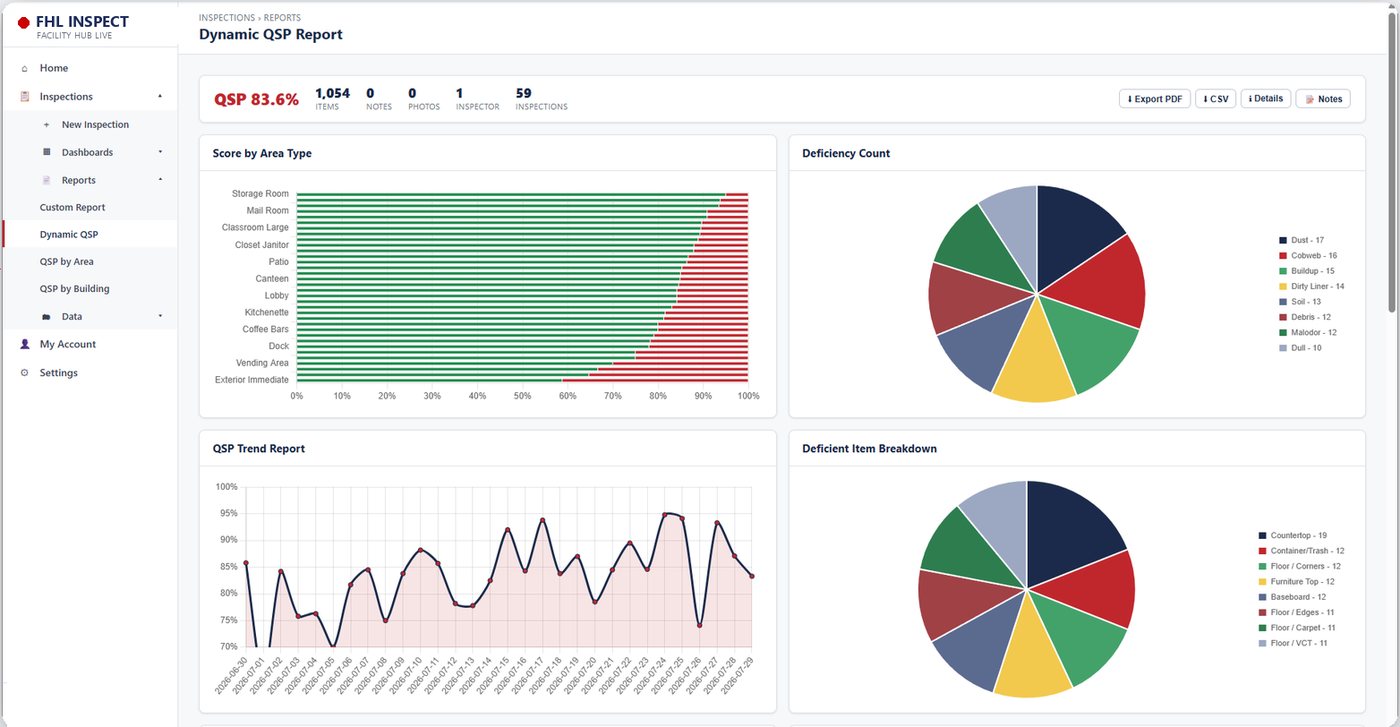
FHL Inspect is the quality-control module of Facility Hub Live. Inspectors score each space item by item as pass or deficient, by building, floor, zone and area type, and attach photos and notes. Deficiencies become action items that stay open until they are corrected, and results roll up into scores by building and by area type, with PDF reports. It is included in the Facility Hub Live base package.
Software for APPA Levels of Clean
APPA defines five levels of clean, from Level 1, orderly spotlessness, to Level 5, unkempt neglect. FHL Inspect lets you set the target level for each type of space, inspect against it item by item, and see whether each building is delivering the level it is funded for. Scores roll up live from the room to the building to the whole campus.
What It Does
- Item-level scoring. Each inspection item is marked pass or deficient, with point values, so a score means the same thing on every floor.
- Inspect by place. Building, floor, zone and area type, so you can see a restroom problem separately from a classroom one.
- Photos and notes. Every inspection can carry photo proof and inspector notes.
- Deficiencies become action items. Open deficiencies stay on the list until they are fixed, with an activity history.
- Work orders. Real-time work orders are created, assigned, tracked and completed from FHL Inspect, with its own dashboard, and tie back to the Feedback Tracker as the master record. Nightly Inspections, a separate module in the base package, has its own dashboard and work orders.
- Scores you can compare. Pass and fail by area type, scores by building, and trends over time.
- Reports. Export a PDF with the notes and photos for a meeting, an audit or a contract review.
Inspect Against Your Standard
Inspection items and areas are configured for each site, so FHL Inspect can follow the standard in your contract. Many campuses use APPA appearance levels; the APPA cleaning standards explained article covers how those levels work, and the APPA staffing calculator shows what each level takes in staffing.
Inspection scores are also the proof that a schedule is working. Dynamic schedules come from Facility Hub Live with its Dynamic Scheduling add-on and installed sensors, the combination CSS calls a Living Facility, and FHL Inspect shows whether quality held.
Frequently Asked Questions
Is there software for APPA levels of clean?
Yes. FHL Inspect scores inspections against APPA cleaning standards and reports results by building and space type.
Can I see whether a building is meeting its APPA level?
Yes. Each space type has a target, and inspection scores show where a building is at, above or below it.
Is FHL Inspect included in the base package?
Yes. FHL Inspect is one of the five modules in the Facility Hub Live base package, with Nightly Inspections, the Feedback Tracker, FHL Training and the Admin Panel.
Can inspections include photos?
Yes. Each inspection can carry photos and notes, and PDF reports include them.
Can we score by building and by type of space?
Yes. Results are reported by building and by area type, such as restrooms, classrooms and offices.
Can FHL Inspect follow APPA cleaning levels?
Inspection items are configured for each site, so they can follow the standard in your contract, including APPA appearance levels.
Keep Reading
See what FHL Inspect costs for your sites
Build an instant Facility Hub Live quote, or ask us for a walkthrough.
Get an Instant QuoteAll Modules